Laptop Repair Westlands.A laptop can become an essential part of everyday life. Students use laptops for research and assignments, professionals rely on them for meetings and reports, while businesses need computers for accounting, communication, design, sales and customer service. When a laptop suddenly stops working, even a small problem can cause significant disruption.
For residents, professionals and businesses around Westlands, finding a dependable laptop repair westlands service can make the difference between a quick solution and an expensive mistake.
At Laptop Spot, customers can access laptop-related products and services in Nairobi. Professional repair can help extend the useful life of a computer, reduce unnecessary replacement costs and keep important data accessible.
Whether you’re dealing with a broken screen, overheating, a dead battery, a damaged charging port, slow performance or a laptop that refuses to power on, the first step should be proper diagnosis.
1. Understanding Laptop Problems
Laptop problems generally fall into two broad categories: hardware faults and software faults.
Hardware problems involve physical components inside or attached to the computer. These include the motherboard, RAM, SSD, hard drive, battery, display, keyboard, touchpad, cooling fan, charging port and power circuitry.
Software problems involve the operating system, applications, drivers, malware, corrupted files or incorrect settings.
Some problems can appear to be software-related when the actual cause is hardware. For example, a laptop that constantly freezes may have insufficient RAM, an overheating processor, a failing SSD or a damaged motherboard.
That’s why professional diagnostics are important.
If your laptop is extremely slow, consider checking whether an SSD upgrade or RAM upgrade could improve its performance before replacing the entire computer. You can also browse Laptop Spot’s laptop collection to compare available computers.
Common warning signs include:
- Laptop won’t turn on
- Laptop turns on but shows no display
- Screen flickers or has lines
- Keyboard keys don’t work
- Battery drains unusually fast
- Laptop only works when connected to a charger
- Charging port feels loose
- Computer becomes extremely hot
- Fan produces unusual noise
- Windows crashes
- Laptop has become unusually slow
- USB ports stop working
- Wi-Fi or Bluetooth disappears
- Laptop shuts down unexpectedly
2. Why Choose a Professional Repair Centre?
Quality laptop repair westlands service requires proper diagnostic equipment, experience and knowledge of different laptop architectures.
A professional repair centre should provide:
- Proper diagnosis before repair.
- Clear communication about the fault.
- Transparent pricing where possible.
- Quality replacement components.
- Experienced technicians.
- Data-conscious handling of customer devices.
- Testing after repair.
- Reasonable repair recommendations.
A good technician should also tell you when a repair isn’t economically sensible.
For example, repairing an old laptop with several failing components may cost nearly as much as purchasing another refurbished business laptop. In such a situation, a responsible technician can explain the alternatives instead of pushing an unnecessary repair.
If you’re looking for another computer rather than repairing an old one, you can explore Laptop Spot’s refurbished laptops.
3. Common Laptop Repairs in Westlands
Laptop repair shops handle a wide range of problems every day. Some repairs are relatively simple, while others require advanced electronics skills.
Typical services include:
- Laptop screen replacement
- Keyboard replacement
- Battery replacement
- SSD upgrades
- RAM upgrades
- Charging port repair
- DC jack replacement
- Motherboard repair
- BIOS troubleshooting
- Operating system installation
- Driver installation
- Virus and malware removal
- Laptop cleaning
- Cooling-system maintenance
- Data recovery
- Hinge repair
- Touchpad repair
- Wi-Fi troubleshooting
- USB port repair
The right solution depends on the laptop model and the actual fault.
For example, a laptop with a cracked display may only require a screen replacement. A machine that won’t charge might have a faulty charger, battery, charging port or motherboard power circuit.
Replacing the wrong component wastes money and doesn’t solve the underlying problem.
For customers who need accessories alongside a repair, visit the Laptop Spot laptop accessories section.
4. Laptop Screen Replacement
A damaged display is one of the most obvious laptop problems. Screens can crack after accidental drops, pressure inside a laptop bag or impact from another object.
Other display problems may develop gradually.
You might notice:
- Horizontal or vertical lines
- Flickering
- Black spots
- Dim brightness
- Discolouration
- A completely black screen
- Cracked LCD
- Display working only at certain angles
Before ordering a replacement screen, the exact laptop model should be confirmed.
Screen sizes, resolutions, connectors, refresh rates and mounting systems can differ even between laptops from the same product family.
For example, an HP EliteBook, Dell Latitude and Lenovo ThinkPad may all have 14-inch screens but use different specifications.
If you’re experiencing display problems, consider adding an internal link here to your dedicated Laptop Screen Replacement service page:
Laptop Screen Replacement in Nairobi
A professional technician can identify the correct replacement and test it before completing the repair.
5. Keyboard and Touchpad Repairs
Keyboard problems can be frustrating, particularly for people who type throughout the day.
A few damaged keys may result from liquid spills, dust, physical impact or normal wear. In other cases, the entire keyboard may stop responding.
If only specific keys have stopped working, the issue could be physical damage or a connection problem.
If the entire keyboard is unresponsive, the fault could involve the keyboard connector, motherboard or operating system.
Touchpads can also develop problems.
Common symptoms include:
- Cursor movement stopping
- Random cursor movement
- Clicking not working
- Multi-touch gestures failing
- Touchpad becoming intermittently unresponsive
Before replacing hardware, technicians should check software settings and drivers.
This is another reason diagnosis matters.
6. Battery and Charging Problems
Laptop batteries naturally lose capacity as they age. After several years of regular use, a battery may hold significantly less charge than it did when new.
Signs of battery problems include:
- Battery percentage falling quickly
- Laptop shutting down without warning
- Battery refusing to charge
- Laptop working only with the charger connected
- Battery swelling
- Extremely short battery life
A swollen battery shouldn’t be ignored.
Charging faults can have several causes. The charger itself may be defective, or the charging port could be damaged. The motherboard’s charging circuit may also require attention.
Before buying a new charger, confirm that the voltage, connector and power requirements match the laptop.
For customers searching for replacement laptop batteries, you can create a dedicated internal link here to your Laptop Batteries and Power Accessories category.
7. Motherboard and Power Repairs
Motherboard problems are among the more complicated laptop faults.
The motherboard connects many critical components, including the processor, memory, storage, USB ports and power systems.
Damage to the board can result from liquid spills, electrical faults, overheating, physical damage or component failure.
Symptoms may include:
- No power
- No charging
- Random shutdowns
- USB ports not working
- No display
- Keyboard failure
- Failure to boot
- Burning smell
- Laptop switching on and immediately off
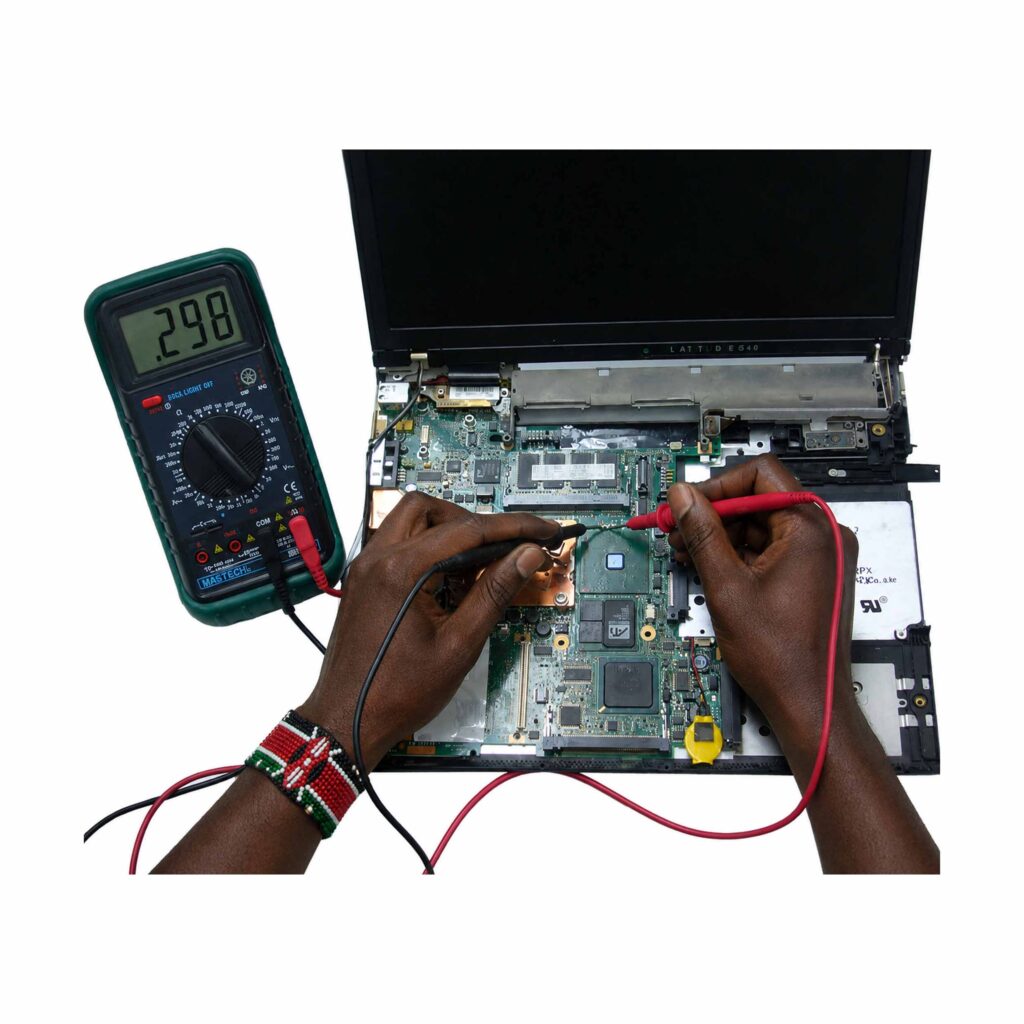
Professional motherboard diagnostics may involve testing individual power circuits and electronic components.
Not every motherboard problem requires complete replacement.
In some cases, component-level repair can restore functionality and cost considerably less than buying a replacement board.
For customers specifically searching for board-level service, link this section to your dedicated Laptop Motherboard Repair service.
8. Software and Operating System Repairs
Not every computer problem requires opening the laptop.
Windows problems can cause slow startup, application crashes, blue-screen errors, missing drivers and boot failures.
Software troubleshooting may involve:
- Windows repair
- Operating system installation
- Driver installation
- Malware removal
- Startup optimisation
- Software configuration
- System updates
- File-system repair
- User-account troubleshooting
Before reinstalling Windows, important data should be protected whenever possible.
A clean installation may solve severe software problems, but it can also remove applications and files.
For official Windows information and support, customers can consult Microsoft Support.
This is an excellent external link because Microsoft is an authoritative source relevant to Windows troubleshooting.
9. Data Recovery and Backup
For many customers, the laptop itself isn’t the most valuable thing. The information stored on it is.
Business documents, photographs, school assignments, financial records and customer information can be extremely difficult to replace.
If a laptop suddenly stops working, avoid repeatedly switching it on if the storage device appears to be failing.
Professional data recovery may be necessary when:
- The laptop doesn’t boot
- The SSD isn’t detected
- The hard drive makes unusual noises
- Files have disappeared
- The operating system is corrupted
- The computer has suffered physical damage
The best approach, however, is prevention.
Important information should be backed up to a separate storage location or reputable cloud service.
For more information about Microsoft’s cloud storage ecosystem, you can also refer customers to Microsoft OneDrive.
10. Laptop Maintenance and Performance Improvement
Prevention is often cheaper than repair.
Regular laptop maintenance can improve reliability and performance. Dust accumulation around cooling vents can restrict airflow and cause higher temperatures.
Maintenance can include:
- Internal dust cleaning
- Cooling fan inspection
- Thermal management checks
- SSD health checks
- RAM testing
- Battery health assessment
- Operating system optimisation
- Driver updates
- Malware checks
- Storage cleanup
Users should also avoid placing laptops on soft surfaces such as beds for extended periods because airflow can be restricted.
Keeping liquids away from the computer is equally important.
If liquid is spilled on a laptop, switch it off and disconnect power as quickly as safely possible.
11. Laptop Repairs for Westlands Businesses
Westlands is home to offices, retailers, professional firms, startups, hotels and other businesses that depend heavily on technology.
For businesses, computer downtime can quickly become expensive.
An employee who can’t access email, accounting software, customer records or company documents may be unable to perform their normal duties.
A dependable laptop repair westlands provider can therefore help businesses reduce unnecessary downtime by diagnosing problems efficiently and recommending appropriate solutions.
Businesses can also benefit from preventive maintenance.
Instead of waiting for every machine to fail, companies can schedule periodic checks for:
- Battery health
- Storage health
- Cooling performance
- Operating system condition
- Malware protection
- Hardware reliability
- Data backup
If your business requires multiple computers, consider linking this section to your Laptop Sales page as well.
12. How to Choose the Right Laptop Technician
Choosing a repair technician shouldn’t be based solely on a Google search result or the lowest quoted price.
Look for evidence of practical experience.
Ask questions such as:
- What is causing the problem?
- Can you diagnose it before replacing parts?
- What part needs replacement?
- Is the replacement compatible with my exact model?
- How long is the repair likely to take?
- Will my data remain intact?
- Will the laptop be tested after repair?
- What happens if the problem returns?
Clear answers demonstrate professionalism.
You should also consider whether the repair centre works with your specific laptop brand and model.
13. Laptop Brands That Can Be Serviced
Modern laptop repair requires familiarity with multiple manufacturers.
| Brand | Popular Laptop Families |
|---|---|
| HP | EliteBook, ProBook, Pavilion, Envy, Omen |
| Dell | Latitude, Precision, Inspiron, XPS |
| Lenovo | ThinkPad, IdeaPad, Yoga, Legion |
| Apple | MacBook Air, MacBook Pro |
| ASUS | VivoBook, ZenBook, ROG |
| Acer | Aspire, Swift, TravelMate |
| Microsoft | Surface Laptop, Surface Pro |
You can strengthen your internal linking by creating separate category pages for each major brand.
For example:
Important: replace these homepage links with the actual category URLs once those pages are published.
14. What Determines Laptop Repair Cost?
The cost of repairing a laptop depends on several factors.
The first is the faulty component. A keyboard replacement and a motherboard repair require very different levels of work.
The second factor is the availability and quality of the replacement part.
Other factors include:
- Laptop model
- Age of the computer
- Availability of parts
- Labour required
- Severity of damage
- Whether data recovery is needed
- Whether component-level repair is possible
- Whether additional faults are discovered
Customers should request a diagnosis before approving major repairs.
It’s also useful to compare the expected repair cost with the laptop’s current market value.
15. The Professional Laptop Repair Process
A reliable repair process should be systematic rather than based on guesswork.
Step 1: Customer Consultation
The technician first asks what happened and when the problem began.
Step 2: Initial Inspection
The laptop is inspected for visible damage, liquid exposure, unusual sounds and other warning signs.
Step 3: Diagnostic Testing
Hardware and software are tested to identify the actual cause.
Step 4: Repair Recommendation
The technician explains the fault and recommends an appropriate solution.
Step 5: Customer Approval
Major repairs should be undertaken after the customer understands the expected work and cost.
Step 6: Repair
The faulty component is repaired or replaced using a compatible part.
Step 7: Testing
The laptop should be tested after repair to confirm that the original problem has been resolved.
Step 8: Customer Collection
The customer receives the repaired machine and should be advised about maintenance and future care.
16. When Should You Repair or Replace Your Laptop?
Repair isn’t always the best option.
A laptop may be worth repairing when:
- The processor is still adequate
- The motherboard is healthy
- The chassis is in good condition
- The repair cost is reasonable
- The laptop meets your performance needs
Replacement may make more sense when:
- Several expensive components have failed
- The laptop is extremely outdated
- Replacement parts are difficult to find
- The repair cost approaches the value of another suitable laptop
- The computer no longer meets your performance requirements
An honest technician should explain both possibilities.
Sometimes upgrading an existing laptop with an SSD or additional RAM can provide a significant performance improvement without buying another computer.
Customers considering replacement can browse Laptop Spot’s available laptops and compare their options.
17. Why Local Repair Support Matters
Choosing a nearby repair centre can make communication and follow-up easier.
Customers may need to drop off a laptop, discuss a fault, approve a repair or return for additional troubleshooting.
For people working or living around Westlands, having access to professional technical support in Nairobi can be convenient.
However, location shouldn’t replace quality.
The most important factors remain technician experience, diagnostic ability, transparent communication and proper handling of customer equipment.
A good repair service should aim to solve the problem rather than simply sell a replacement component.
Frequently Asked Questions
1. What are the most common laptop problems?
Common problems include broken screens, battery failure, charging issues, overheating, keyboard faults, slow performance, Windows errors, damaged charging ports and motherboard problems.
2. How long does a laptop repair take?
Repair time depends on the fault and availability of replacement components. Simple software issues may be resolved quickly, while motherboard repairs, data recovery and parts that need sourcing can take longer.
3. Should I back up my files before taking my laptop for repair?
Yes. Whenever possible, create a backup of important documents, photographs and other files before handing over the computer.
4. Can a laptop with a broken screen be repaired?
In many cases, yes. A damaged LCD or display assembly can often be replaced. The correct replacement must match the laptop’s model, connector and display specifications.
5. Is it worth repairing an old laptop?
It depends on the repair cost, laptop specifications and overall condition. An affordable SSD, RAM, battery or keyboard replacement may significantly extend the useful life of an older business laptop.
6. Why does my laptop overheat?
Overheating can result from blocked vents, dust accumulation, a malfunctioning fan, poor thermal transfer or demanding workloads.
7. Why won’t my laptop charge?
Possible causes include a faulty charger, damaged charging port, worn battery or motherboard charging fault. A technician should test these possibilities before recommending a replacement.
8. Can a damaged motherboard be repaired?
Some motherboard faults can be repaired at component level. However, the feasibility depends on the type and extent of damage, the laptop model and availability of suitable components.
9. Should I repair my laptop or buy another one?
Compare the repair cost with the laptop’s age, performance and current value. If the computer is otherwise reliable, repair may be sensible. If several major components have failed, replacement could provide better value.
10. Where can I get professional laptop repair services?
Customers looking for reliable laptop repair westlands services can visit Laptop Spot to learn more about laptop repair, maintenance, upgrades and computer services in Nairobi.
Conclusion
A laptop problem doesn’t necessarily mean that it’s time to buy another computer. Many faults can be diagnosed and repaired, while performance issues can sometimes be solved through maintenance or strategic upgrades.
The key is choosing a technician who understands both hardware and software and who takes time to identify the real problem.
For residents, students, professionals and businesses searching for laptop repair westlands, Laptop Spot provides a convenient Nairobi option for laptop troubleshooting, maintenance, upgrades and repair services.
Whether your laptop has a broken screen, weak battery, charging problem, keyboard fault, overheating issue or serious motherboard failure, professional diagnosis is the best place to start.
Good laptop maintenance also goes beyond fixing today’s problem. Regular cleaning, careful handling, software maintenance, adequate ventilation and reliable backups can help your computer remain useful for longer.
If your laptop is giving you trouble, don’t keep guessing—and don’t replace expensive parts without proper diagnosis. Get the machine assessed, understand your options and choose the solution that offers the best value.
Ready to get your laptop checked? Visit Laptop Spot to learn more about laptop repair and computer services in Nairobi.