Affordable Computer Repair Services in Nairobi
Computers have become an important part of everyday life. We use them for work, school, business, entertainment, communication, and many other activities.
When a computer suddenly stops working, it can interrupt your entire day. A slow laptop can make simple work frustrating. A broken screen can prevent you from attending an online meeting. A damaged charging port can leave you without a working computer.
The good news is that many computer problems can be repaired without buying a new machine.
If you are searching for an affordable computer fix in Nairobi, choosing the right repair shop can save you both time and money.
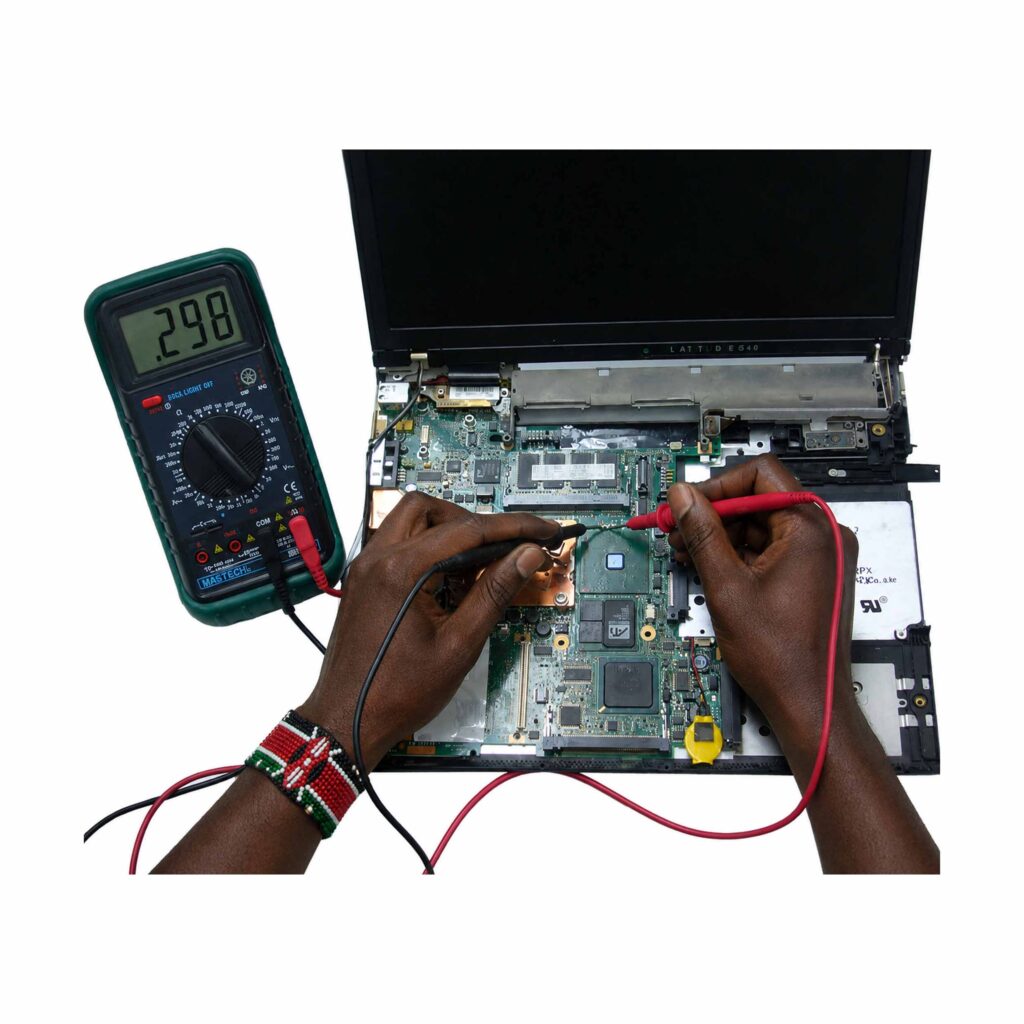
At Laptop Spot, we help customers diagnose and repair different laptop and computer problems. Our services cover hardware repairs, software troubleshooting, laptop upgrades, replacement parts, and general computer maintenance.
You can also explore our Laptop Spot computer and laptop products to find laptops, accessories, chargers, batteries, screens, keyboards, and other computer parts.
Why Choose Computer Repair Instead of Buying a New Computer?
Many people assume that a faulty laptop needs to be replaced immediately.
That is not always true.
A computer may have one damaged component while the rest of the machine is still working perfectly.
For example, a laptop may have a broken keyboard but a healthy motherboard, processor, RAM, and storage drive.
Replacing the keyboard can be much cheaper than purchasing another laptop.
The same applies to screens, batteries, chargers, hinges, cooling fans, storage drives, and other components.
Before spending money on a new computer, it is worth having the existing machine properly diagnosed.
A professional technician can identify the actual problem and explain the available repair options.
This is one of the main reasons people look for an affordable computer fix in Nairobi rather than immediately replacing their laptops.
Common Computer Problems We Repair
Computer problems can appear in many different ways.
Sometimes the problem is obvious. Other times, the symptoms may be confusing.
For example, a laptop that refuses to turn on could have a battery problem, charger problem, charging port problem, motherboard fault, or another hardware issue.
Here are some of the common problems that may require professional repair.
1. Laptop Not Turning On
One of the most stressful computer problems is pressing the power button and getting nothing.
The screen may remain black.
There may be no fan noise.
There may be no keyboard lights.
There are several possible reasons for this.
The battery could be completely dead. The charger could be faulty. The charging port could be damaged. There could also be an internal hardware problem.
A proper diagnosis is important before replacing parts.
2. Slow Computer Performance
A computer that takes several minutes to start can become difficult to use.
Applications may take too long to open.
The system may freeze regularly.
The computer may also become slow when several applications are running.
Slow performance can have different causes.
The computer may have limited RAM. The storage drive may be old or failing. The operating system may have unnecessary software. There may also be too many startup programs.
In some cases, upgrading from an older hard disk drive to an SSD can make a major difference.
Microsoft provides official guidance covering Windows performance, storage, updates, troubleshooting, and other common issues. You can visit Microsoft Windows Help and Learning for additional information.
3. Broken Laptop Screen
Laptop screens can break after accidental drops or physical impact.
A screen may develop cracks, lines, dark areas, flickering, or completely stop displaying an image.
In some cases, the problem may not be the screen itself.
It could be a display cable or another component.
A technician should inspect the laptop before ordering a replacement screen.
Laptop Spot supplies and works with different laptop parts, including screens and other replacement components.
You can browse the Laptop Spot laptop parts section to see available computer parts.
4. Battery Problems
Laptop batteries naturally lose capacity over time.
An older battery may last only a short time after charging.
The computer may also shut down unexpectedly when disconnected from the charger.
If your laptop battery is no longer holding a useful charge, replacing it may restore normal portability.
However, it is important to use a battery that matches the laptop model.
The battery voltage, connector, physical design, and specifications should be checked before replacement.
5. Damaged Laptop Charging Port
A laptop may stop charging because of a damaged charging port.
You may notice that the laptop only charges when the charger is positioned in a particular way.
The charging connection may also become loose.
Do not continue forcing the charger into the port.
Doing so may cause additional damage.
A technician can inspect the charging system and determine whether the issue is the charger, port, charging circuit, or another component.
6. Keyboard Problems
Laptop keyboards can stop working because of liquid spills, physical damage, worn keys, or internal faults.
Sometimes only a few keys stop responding.
In other cases, the entire keyboard may stop working.
A replacement keyboard can often solve the problem without replacing the entire laptop.
Laptop Spot also stocks laptop keyboards and related parts.
Check our laptop accessories and parts for available options.
7. Laptop Overheating
Does your laptop become extremely hot?
Does the fan become very loud?
Does the computer shut down when running demanding applications?
These could be signs of an overheating problem.
Dust can build up inside a laptop over time.
The cooling fan may become blocked.
The thermal paste may also need attention.
A technician can clean the cooling system and inspect the fan and other components.
Keeping a laptop cool can help improve reliability and performance.
8. Broken Hinges
Laptop hinges experience repeated movement every time the screen is opened and closed.
With time, hinges can become stiff, loose, or damaged.
A damaged hinge should be repaired as soon as possible.
Continuing to force the screen can damage the display frame or screen.
In severe cases, the damage can extend to the laptop casing.
Early repair is usually safer and more practical.
9. Windows Problems
Not every computer problem is caused by hardware.
Windows can experience startup problems, software conflicts, update problems, driver issues, and other errors.
Microsoft provides built-in troubleshooting tools for several common Windows problems.
Its official support resources cover issues involving audio, Bluetooth, networks, printers, updates, and other functions.
If basic troubleshooting does not solve the issue, professional diagnosis may be necessary.
10. Virus and Malware Problems
Malware can cause strange computer behavior.
Your computer may become unusually slow.
You may see unwanted pop-ups.
Your browser may behave differently.
Unknown applications may also appear.
Keeping Windows and security software updated is important.
Avoid downloading unknown programs or opening suspicious attachments.
If you suspect that your computer has been compromised, professional assistance can help you safely diagnose the problem.
What Makes a Computer Repair Service Affordable?
Affordable does not simply mean choosing the cheapest technician.
The cheapest repair can sometimes become more expensive if poor-quality parts or incorrect repair methods are used.
A good repair service should provide value for your money.
This means identifying the actual problem before replacing parts.
It also means using suitable replacement components and explaining the repair clearly.
A professional technician should tell you what needs to be repaired and what the available options are.
This approach helps customers make informed decisions.
When looking for an affordable computer fix in Nairobi, consider the quality of the service as well as the price.
Computer Diagnosis Should Come First
One of the biggest mistakes people make is replacing parts without knowing what is wrong.
For example, a laptop may refuse to charge.
Someone might immediately purchase a new battery.
But the actual problem could be the charger.
Or the charging port.
Or the motherboard charging circuit.
Replacing the battery would not solve the problem.
This is why diagnosis should come before repair.
At Laptop Spot, customers can have their computer problems assessed so the appropriate repair solution can be identified.
Laptop Repairs for Students
Students depend heavily on computers.
They use laptops to research assignments, attend online classes, prepare presentations, write reports, and communicate with lecturers.
A broken laptop can therefore create serious inconvenience.
Students often do not need a completely new laptop when something goes wrong.
A keyboard, screen, battery, charger, SSD, or other component may be replaced instead.
Repairing the existing computer can be a practical way to extend its useful life.
If the laptop is still suitable for the student’s needs, repair can be more sensible than replacement.
Computer Repair for Small Businesses
Small businesses also depend on computers.
A computer may contain customer information, accounting records, documents, emails, business software, and other important files.
When a business computer fails, productivity can quickly fall.
A fast repair can help reduce downtime.
Business owners should also consider regular maintenance.
Cleaning the computer, checking storage health, updating software, and backing up important files can reduce the impact of future problems.
Businesses should not wait until a computer completely fails before thinking about maintenance.
Laptop Repairs for Remote Workers
Remote work has made reliable computers even more important.
Employees working from home depend on laptops for video meetings, email, documents, online platforms, and communication.
A faulty webcam, microphone, keyboard, screen, battery, or Wi-Fi connection can affect productivity.
Some software problems can be fixed remotely.
However, hardware problems normally require physical inspection.
If your computer is showing signs of hardware failure, professional diagnosis can help you get back to work faster.
Why You Should Not Ignore Small Computer Problems
A small computer problem can sometimes become a bigger problem.
Consider a laptop hinge that has become slightly loose.
You might continue using it for months.
Eventually, the hinge could become worse and damage the casing or display assembly.
The same applies to overheating.
A computer that regularly becomes excessively hot should not simply be ignored.
Early diagnosis can help identify the cause before the problem becomes more serious.
SSD Upgrades Can Improve Older Computers
One of the most useful upgrades for an older computer is replacing a traditional hard disk drive with a solid-state drive.
SSDs are generally much faster than traditional mechanical hard drives.
The improvement can be noticeable during startup and when opening applications.
However, the correct SSD must be selected for the computer.
Some laptops support 2.5-inch SATA drives.
Others use M.2 SSDs.
Newer computers may support different interfaces and form factors.
A technician can check compatibility before installing the upgrade.
If you are considering buying another laptop, you can also browse refurbished and new laptops from Laptop Spot.
RAM Upgrades
RAM affects how well a computer handles multiple applications at the same time.
A computer with insufficient RAM may struggle when many browser tabs and applications are open.
Adding RAM can improve multitasking when the laptop supports an upgrade.
However, not every laptop allows RAM upgrades.
Some modern machines have memory soldered directly onto the motherboard.
Compatibility must therefore be checked before purchasing RAM.
Data Recovery and Important Files
Computer problems can be especially worrying when important files are involved.
Documents, photographs, business records, school projects, and other files may be stored on the affected computer.
If a computer stops working, avoid repeatedly switching it on and off if you suspect storage failure.
Do not immediately format the drive.
Doing so may make data recovery more difficult.
A professional technician can assess the storage device and determine whether the data may be recoverable.
Regular backups are still the best protection.
Keep important files in more than one location whenever possible.
How to Choose the Right Computer Repair Shop in Nairobi
Nairobi has many computer repair businesses.
A quick search can produce many options.
So how do you choose?
Start by checking whether the business handles the type of computer problem you have.
Look for clear information about the services offered.
Consider whether the technician explains the problem before carrying out major repairs.
You should also ask about replacement parts and warranties where applicable.
Customer reviews can provide useful information, although reviews should not be the only factor in your decision.
Location is also important.
If you work or study in Nairobi CBD, choosing a repair shop that is easy to access can save time.
Computer Repair in Nairobi CBD
Nairobi CBD has many businesses offering computer-related services.
Customers can find repair shops around areas such as Tom Mboya Street, Moi Avenue, Standard Street, Kimathi Street, and surrounding parts of the CBD.
For example, local search results currently show several computer repair businesses operating within Nairobi CBD and nearby areas.
This makes it possible to compare locations and services before taking your computer for repair.
Laptop Spot is also positioned to serve customers looking for laptop products, accessories, parts, and repair assistance in Nairobi.
You can visit the Laptop Spot website to explore the available products and services.
When Should You Repair Your Computer?
Repair is usually worth considering when the computer is still suitable for your needs.
For example, imagine you own a business laptop with a good processor and sufficient RAM.
The screen becomes damaged.
There is no reason to replace the entire computer simply because the display needs replacement.
The same applies to batteries, keyboards, chargers, hinges, storage drives, and some other components.
However, replacement may make more sense if the computer has several serious faults or is no longer powerful enough for your work.
A technician can help you compare the repair cost with the value and condition of the computer.
When Should You Replace Your Computer?
Repair is not always the best option.
Sometimes a computer is too old or has suffered extensive damage.
If the motherboard, display, keyboard, battery, storage, and other major components all require replacement, buying another computer may be more practical.
The decision should be based on the total repair cost, computer specifications, age, condition, and your current needs.
Do not make the decision based only on one component.
Ask for a proper diagnosis first.
How to Save Money on Computer Repairs
There are several ways to reduce computer repair costs.
Keep Your Computer Clean
Dust can affect cooling and airflow.
Use your computer in a clean environment.
Avoid blocking ventilation openings.
Avoid Liquid Near Your Laptop
Liquid spills can cause serious damage.
Keep drinks away from your laptop.
If a spill occurs, stop using the computer and seek professional advice.
Use the Correct Charger
Using an unsuitable charger can create electrical problems.
Always check the required voltage, current, connector, and compatibility.
Laptop Spot offers various laptop chargers and adapters. You can browse the Laptop Spot charger collection.
Back Up Your Files
A backup can save you from losing important information.
Consider keeping important documents on an external drive or trusted cloud storage.
Do Not Ignore Warning Signs
Strange noises, overheating, random shutdowns, screen flickering, charging problems, and unusual error messages should not always be ignored.
Early diagnosis can prevent some problems from becoming more complicated.
Professional Repair Versus DIY Repair
The internet contains many computer repair guides.
Some basic tasks are safe for users who understand what they are doing.
For example, Windows provides troubleshooting resources for common software and connectivity problems.
Microsoft also offers official guidance for troubleshooting Windows issues.
However, opening a laptop is different.
Laptop components are small and sensitive.
A mistake can damage cables, connectors, screws, motherboard components, or other parts.
If you are not experienced with electronics, it is safer to have hardware repairs handled by a trained technician.
Why Laptop Spot?
Laptop Spot focuses on laptops, accessories, parts, and computer-related solutions in Kenya.
Our website provides access to laptops from brands such as HP, Dell, Lenovo, Toshiba, and Apple, as well as accessories and replacement components.
The business also promotes laptop repair services for faulty machines.
Customers can contact Laptop Spot to discuss their laptop problem and find out what repair options may be available.
If you need an affordable computer fix in Nairobi, having your machine properly assessed can help you avoid spending money on unnecessary replacements.
You can contact Laptop Spot through the official website or explore available laptops and computer accessories online.
Laptop Parts Available in Nairobi
Having access to the correct replacement part is an important part of computer repair.
A technician may need a particular screen, keyboard, battery, charger, hinge, motherboard, fan, or other component.
Laptop Spot’s online store includes different categories of laptop parts and accessories.
These include laptop screens, motherboards, hinges, speakers, keyboards, chargers, and batteries.
You can visit the Laptop Spot parts section to explore available products.
Computer Repair for Different Laptop Brands
Different laptop brands use different designs and components.
HP laptops are common in offices, schools, and businesses.
Dell Latitude and Precision computers are popular for professional use.
Lenovo ThinkPad machines are widely used for business and productivity.
Apple MacBooks use their own hardware and operating system ecosystem.
Because each computer is different, repair should be based on the exact model.
Always provide the technician with the correct model number when requesting a repair or replacement part.
What Information Should You Give the Technician?
When contacting a repair shop, explain the problem clearly.
Tell the technician what happened.
For example:
“My laptop stopped charging yesterday.”
“My screen started flickering after the laptop fell.”
“My computer switches off after ten minutes.”
“My laptop is extremely slow.”
“My keyboard stopped working after a liquid spill.”
This information can help the technician understand where to start.
Also provide the laptop brand and model if possible.
Get a Proper Repair Quote
Before approving a major repair, ask for a quotation.
The quote should explain what needs to be done.
If replacement parts are required, ask which part is being replaced.
You can also ask whether the part is new, compatible, refurbished, or used where relevant.
Clear communication helps prevent misunderstandings.
A good repair experience should leave you knowing what was repaired and why.
Fast Does Not Always Mean Better
Many customers want their computers repaired immediately.
That is understandable.
A computer may be needed for work or school.
However, good repair requires proper diagnosis.
Some simple problems can be fixed quickly.
Other faults require testing.
Motherboard problems, liquid damage, intermittent shutdowns, and data-related issues may require more time.
A repair technician should focus on fixing the actual problem rather than simply making the computer work temporarily.
Protect Your Computer After Repair
Once your computer has been repaired, take steps to prevent future problems.
Keep your operating system updated.
Use reliable security software.
Back up important files.
Keep liquids away from your laptop.
Do not block ventilation openings.
Use a suitable charger.
Transport your laptop in a protective bag.
Handle the screen carefully.
These simple habits can extend the life of your computer.
Frequently Asked Questions
How much does computer repair cost in Nairobi?
The cost depends on the problem.
A software issue may require a different amount of work from a broken screen, motherboard problem, battery replacement, or storage upgrade.
The best approach is to have the computer diagnosed before receiving a final repair price.
Can my laptop be repaired instead of replaced?
Yes, many laptop problems can be repaired.
Common examples include damaged screens, keyboards, batteries, chargers, hinges, storage drives, and software problems.
The best decision depends on the computer’s condition and the cost of the repair.
How long does computer repair take?
Repair time depends on the problem and availability of replacement parts.
Simple software issues may be resolved quickly.
Hardware and motherboard repairs can require more testing and work.
Always ask the repair shop for an estimated turnaround time.
Is repairing an old laptop worth it?
It depends on its specifications and condition.
If the laptop still meets your needs, repairing or upgrading it may be worthwhile.
An SSD or RAM upgrade can also improve the experience on some older machines.
Can you repair a laptop that does not turn on?
A laptop that does not power on may have several possible causes.
The charger, battery, charging port, motherboard, or another component could be responsible.
Professional diagnosis is recommended.
Can a broken laptop screen be replaced?
Yes.
Many laptop screens can be replaced if the correct compatible panel is available.
The exact laptop model should be checked before ordering a replacement.
Should I repair or replace my laptop?
Compare the repair cost with the computer’s age, specifications, condition, and current market value.
If the computer only needs one relatively inexpensive component, repair may make sense.
If it has several major faults, replacement may be more practical.
Where can I find laptop parts in Nairobi?
Laptop Spot provides laptop parts and accessories through its online store.
You can browse Laptop Spot laptop parts to see available categories.
Final Thoughts
A faulty computer does not always mean that you need to buy another one.
Many common laptop and desktop problems can be diagnosed and repaired.
Screens can be replaced.
Batteries can be changed.
Keyboards can be repaired or replaced.
Storage can be upgraded.
RAM can sometimes be expanded.
Software problems can also be diagnosed and resolved.
The most important step is to identify the actual problem before spending money.
If you are looking for an affordable computer fix in Nairobi, choose a repair provider that focuses on proper diagnosis, suitable parts, clear communication, and practical solutions.
Laptop Spot can help customers looking for laptop products, accessories, parts, and repair assistance.
Visit the Laptop Spot website to explore available products or get in touch about your computer problem.
Need Computer Repair in Nairobi?
Do not let a faulty computer stop your work, studies, or business.
Contact Laptop Spot and have your computer problem assessed.
Laptop Spot
Location: Simara Mall, 10th Floor, Nairobi
Phone: +254 706 837 631
Email: hello@laptopspot.co.ke
Get in touch with Laptop Spot for laptop repair, computer parts, accessories, and other computer solutions.
Helpful External Resources
For additional computer troubleshooting information, these authoritative resources can help:
- Microsoft Windows Help and Learning – official Windows troubleshooting, updates, drivers, security, storage, and repair guidance.
- Microsoft Windows Troubleshooting – technical troubleshooting resources for Windows systems.
- Microsoft Windows Support – official information covering Windows setup, updates, security, networking, and common computer problems.
- Microsoft Windows Startup Troubleshooting – guidance for computers experiencing startup, freezing, or boot problems.